Grammarly Review 2026: Is It Still Worth It with ChatGPT and Claude?
The Grammarly review conversation has changed. A few years ago, the question was simple: is Grammarly worth paying for? Today, with ChatGPT, Claude, and Perplexity all capable of editing and rewriting text, the real question is whether a dedicated grammar tool still earns its place in a content creator’s stack. This review breaks down what Grammarly does in 2026, where it outperforms general-purpose AI chatbots, and where it falls short.
What Grammarly Actually Does in 2026
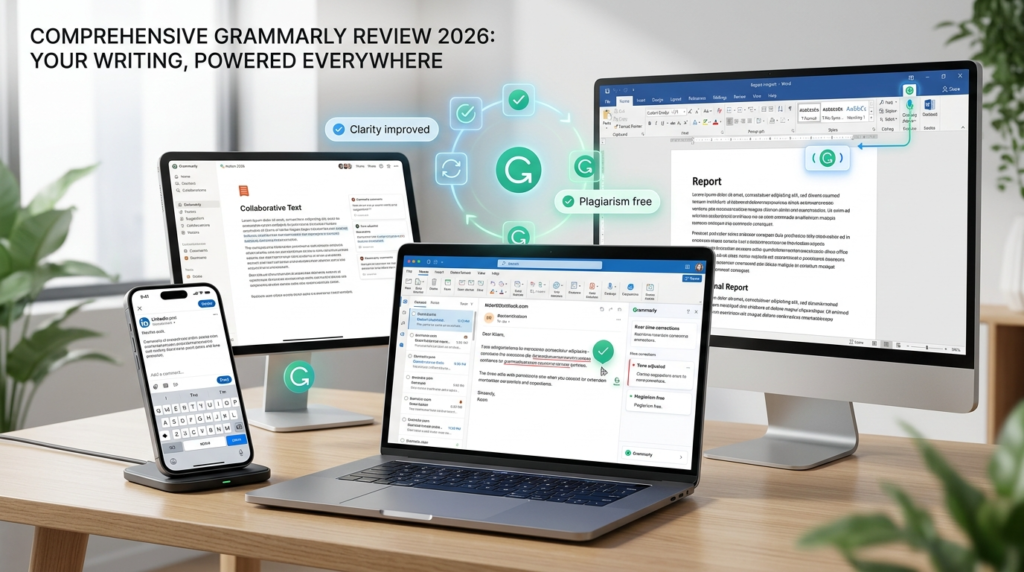
Grammarly has evolved well beyond the spell-checker it started as. The platform now includes four distinct layers of writing assistance that work together across your entire digital workspace.
Core Writing Corrections
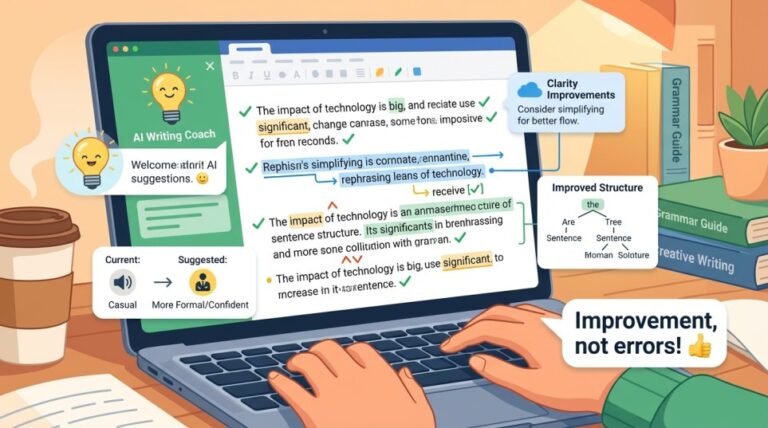
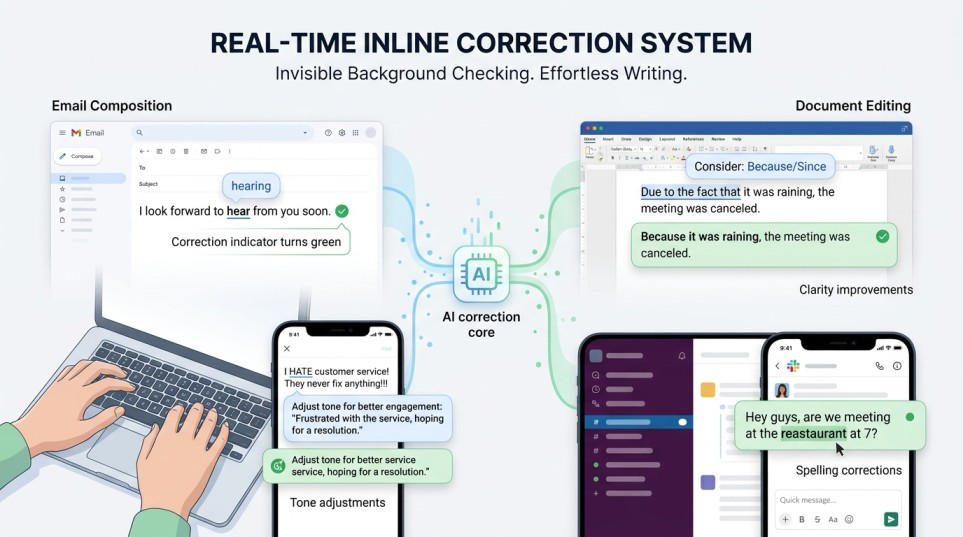
The foundation remains grammar, spelling, punctuation, and clarity corrections. These appear as real-time underlines and suggestions wherever you type. Grammarly catches commonly confused words, subject-verb disagreements, misplaced modifiers, and sentence fragments with high accuracy. For non-native English speakers or anyone who writes quickly and edits later, this baseline layer alone saves significant time.
Tone Detection and Adjustment
Grammarly analyzes your text and labels the detected tone (confident, friendly, formal, diplomatic, and so on). On Pro plans, you can adjust the tone with a click, rewriting sentences to sound more professional for a client email or more casual for a social post. This feature is more practical than it sounds because tone mismatches in workplace communication cause real problems.
AI Writing Assistance and Generative Features
Grammarly now offers AI-powered features that go beyond simple corrections. You can paraphrase passages while preserving meaning, get structural and phrasing suggestions that go deeper than grammar, and use contextual AI assistance across your browser tabs and apps without switching to a separate tool.
On the generative side, Grammarly includes AI prompts for drafting text from scratch. Free users get 100 prompts per month. Pro users get 2,000. Enterprise users get unlimited. While this puts Grammarly in competition with ChatGPT for text generation, the quality and flexibility of its generative output is not at the same level as dedicated chatbots. I’ll be honest: if you need to draft a full blog post or newsletter, ChatGPT or Claude will do it better. Grammarly’s generative features are best for short tasks like drafting a quick email reply or rewriting a paragraph.
The Integration Ecosystem
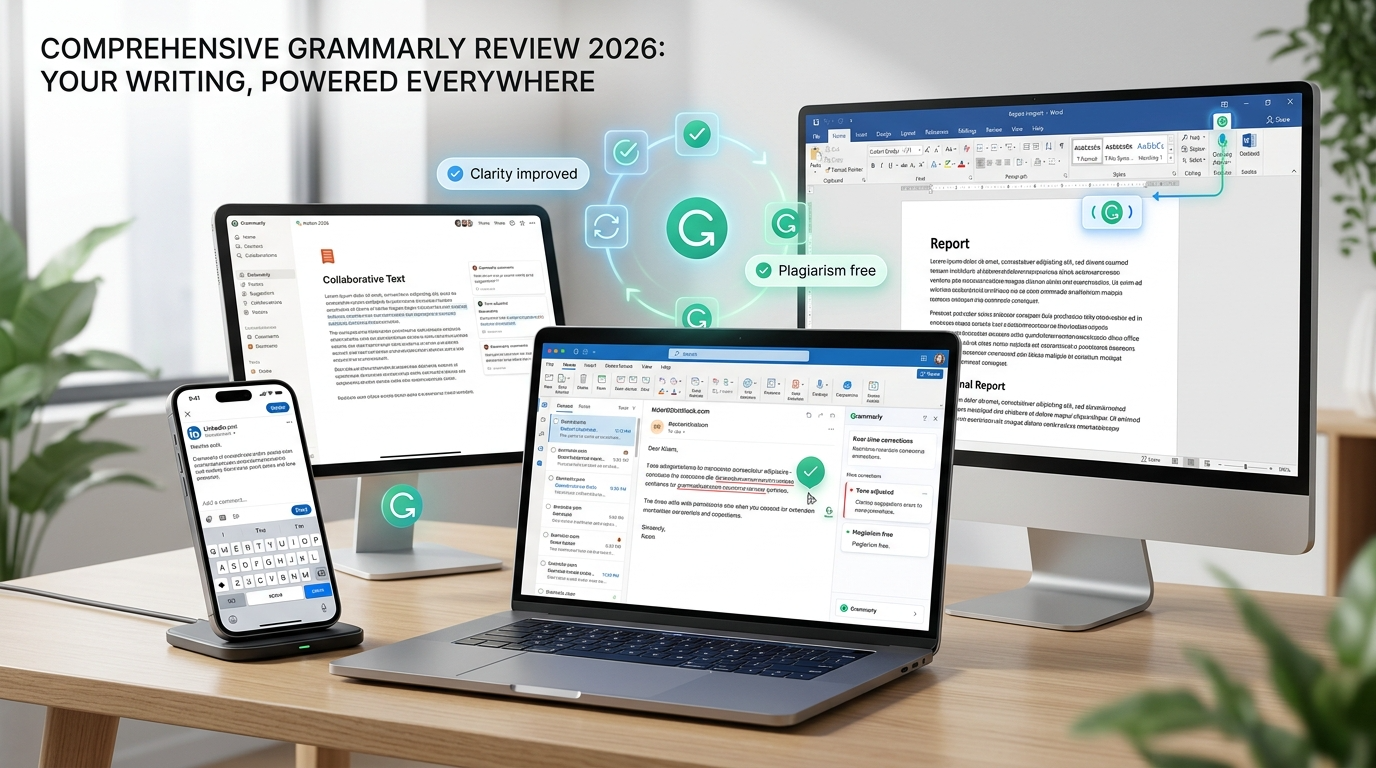
The integration story is Grammarly’s strongest selling point. It works across Gmail, Outlook, Google Docs, Microsoft Word, Slack, Teams, Notion, LinkedIn, Facebook, Figma, and over 500,000 other apps and websites. No other AI writing tool, including ChatGPT or Claude, offers this level of seamless, invisible integration into your existing workflow.
Grammarly Docs is an AI-native document editor built for focused writing. Think of it as a stripped-down Google Docs with Grammarly’s full feature set baked in. For writers who want a distraction-free environment with real-time AI assistance, it’s a nice addition to the ecosystem.
✨ Try Grammarly’s features yourself — the free plan is surprisingly powerful.
No credit card required
Grammarly Pricing in 2026
Free: Basic grammar, spelling, and punctuation corrections. Tone detection. 100 AI prompts per month. Works across all supported apps and browsers.
Pro: $12/month billed annually ($144/year), $20/month billed quarterly, or $30/month billed monthly. Everything in Free plus full-sentence rewrites, tone adjustment, fluency improvements, inclusive language suggestions, plagiarism and AI detection, 2,000 AI prompts per month, team features for up to 149 members, brand tones, style guides, snippets, and team analytics.
Enterprise: Custom pricing (contact sales). Everything in Pro plus unlimited AI prompts, SAML SSO, SCIM provisioning, data loss prevention, BYOK encryption, dedicated support, custom user roles, and advanced security controls. Designed for organizations with 150+ users.
Note: Grammarly recently consolidated its plans. The former “Business” tier has been merged into Pro (which now includes team features) and Enterprise (for large organizations). If you previously had a Business plan, your team will transition to one of these tiers.
For comparison, ChatGPT Plus costs $20/month and Claude Pro costs $20/month (or $17/month billed annually). At $12/month on the annual plan, Grammarly Pro is actually the cheapest option of the three. But the tools do different things, so a direct price comparison only tells part of the story.
Grammarly vs ChatGPT and Claude: The Real Comparison
This is the question that matters most for content creators in 2026.
Where Grammarly Wins
Always-on, inline corrections. Grammarly works inside your apps in real time. You do not need to copy text, open a chat window, write a prompt, and paste the result back. It catches errors as you type, everywhere you type. For someone who writes dozens of emails, Slack messages, and documents per day, this friction-free correction layer is irreplaceable. I write probably 50+ messages a day across different apps, and Grammarly catches something in at least a third of them. Usually small stuff I’d never bother opening ChatGPT for.
Consistency at scale. Grammarly’s style guides, brand tones, and snippets features keep teams aligned without manual review. If your organization has specific terminology, tone requirements, or formatting rules, Grammarly enforces them automatically across every team member’s work. ChatGPT and Claude can follow style instructions in a single prompt, but they cannot enforce brand consistency across every app on every team member’s computer.
Plagiarism and AI detection. Grammarly Pro includes both plagiarism checking and AI-generated text detection. For content creators who need to verify originality (whether checking their own AI-assisted work or reviewing submissions from writers), this is a useful feature that ChatGPT and Claude do not offer.
Multilingual support. Grammarly now provides real-time writing support in English, Spanish, French, German, Portuguese, and Italian, with inline translation and paragraph-level rewrites. For multilingual content teams, this is a real advantage.
Where ChatGPT and Claude Win
Long-form content generation. If you need to draft a 2,000-word blog post, a detailed product description, or a newsletter from a brief, ChatGPT and Claude are far more capable than Grammarly’s generative features. Grammarly’s AI prompts work for short-form tasks, but they cannot match the depth or creative range of a dedicated AI chatbot.
Strategic content work. Need to brainstorm 20 headline variations? Analyze a competitor’s content strategy? Rewrite an article for a different audience? Build a content calendar? These tasks require conversational AI with strong reasoning. ChatGPT and Claude handle them well. Grammarly does not attempt them.
Research and fact-checking. Neither Grammarly nor its AI features can search the web, pull current data, or verify claims. For research-backed content, you will still need a tool like Perplexity or ChatGPT’s browsing features.
Cost efficiency for heavy writers. If you already pay for ChatGPT Plus or Claude Pro and you consistently run your drafts through these tools before publishing, adding Grammarly Pro on top is an additional $144/year for features you may be duplicating. For budget-conscious solo creators, this overlap matters.
Who Should Pay for Grammarly Pro in 2026?
Yes, Grammarly Pro is worth it if: You write across many apps throughout the day (email, Slack, docs, social media) and want corrections everywhere without thinking about it. You manage a team (up to 149 members on Pro) that needs consistent brand voice. You are a non-native English speaker who benefits from real-time fluency improvements. You need plagiarism and AI detection built into your workflow. You want writing corrections without opening a separate tool or writing a prompt.
Grammarly Pro may not be worth it if: You already use ChatGPT or Claude to edit every piece of content before publishing. You primarily write in one app (like Google Docs) and do not mind running text through a chatbot manually. You are a solo creator on a tight budget and need to choose between Grammarly and an AI chatbot subscription. Your content workflow is more about generation than correction.
The best setup for serious content creators: Use Grammarly Free (the baseline corrections are useful and cost nothing) alongside a paid ChatGPT or Claude subscription for content generation and deep editing. Upgrade to Grammarly Pro only if you find yourself wanting tone adjustment, full-sentence rewrites, plagiarism detection, or team features on a regular basis.
How Grammarly Compares to AI Writing Tools
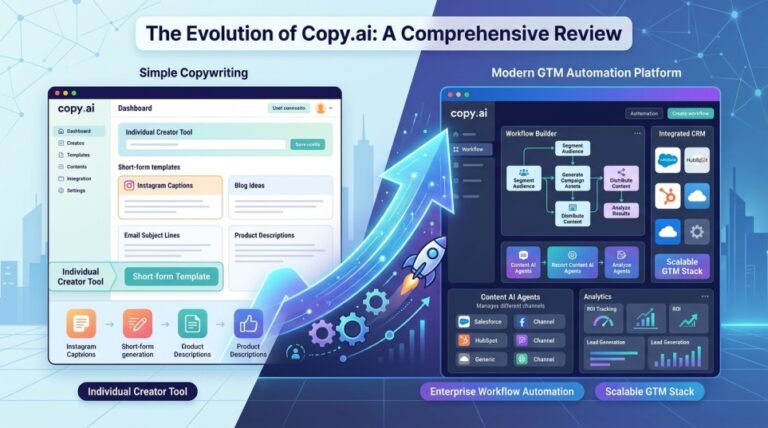
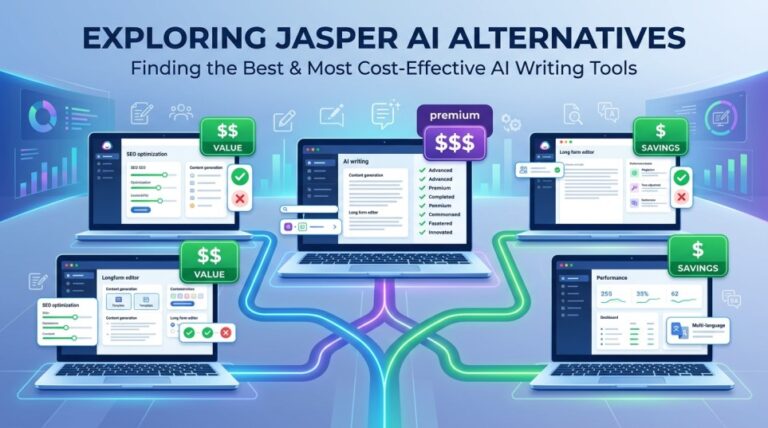
Grammarly occupies a different niche than AI writing platforms like Jasper AI or Copy.ai. Those tools focus on content generation: producing marketing copy, blog posts, and ad variations from templates and prompts. Grammarly focuses on content improvement: making whatever you have already written clearer, more correct, and more consistent.
The overlap between Grammarly and these platforms is smaller than you might expect. Jasper and Copy.ai help you create content. Grammarly helps you polish it. Many content teams use both: a generation tool to produce first drafts and Grammarly to clean them up across every channel where that content gets published.
For teams focused on SEO content, tools like Writesonic or Scalenut handle both writing and optimization. Grammarly doesn’t compete in that space. It’s the editing and consistency layer, not the content engine.
What I Liked About Grammarly

The integration depth is unmatched. Working inside 500,000+ apps without any setup beyond installing the extension is remarkable. Tone detection turned out to be more practical than I expected, especially for client-facing emails. I rewrote a blunt message to a client using the tone adjuster and the difference was noticeable. The free tier is solid, not just a stripped-down teaser for paid features. Team features like style guides and brand tones solve a real problem for organizations. And with a massive user base, the product is battle-tested and reliable.
What Fell Short
The generative AI features are weak compared to ChatGPT or Claude. I asked Grammarly to draft a product description and got back something that read like a college essay. There’s no research capability, no web access, no fact-checking. The $30/month price tag stings if you’re not on the annual plan. Some of the best features (unlimited AI prompts, advanced security controls) are locked behind Enterprise pricing. The browser extension occasionally clashes with certain web apps (I had issues with it inside Notion a couple of times). And the suggestions can sometimes be too conservative, flagging intentional stylistic choices as errors. I use sentence fragments on purpose sometimes for emphasis. Grammarly flags them every single time and it gets old.
Grammarly Review: Final Verdict
Grammarly in 2026 is not the same product it was five years ago. It has grown from a grammar checker into a comprehensive writing assistant with AI features, generative capabilities, team tools, and deep integrations. But its core value proposition has not changed: it makes your writing better, everywhere, without requiring you to do anything extra.
That “everywhere, without effort” quality is what separates Grammarly from ChatGPT and Claude. AI chatbots are more powerful for content creation, but they require deliberate use. You have to open them, write a prompt, paste your text, and transfer the result back. Grammarly works silently in the background, catching mistakes you would have missed in that Slack message, that client email, that LinkedIn comment.
For most content creators, the smartest approach is not choosing between Grammarly and an AI chatbot. It is using Grammarly’s free tier for always-on corrections and pairing it with a paid ChatGPT or Claude subscription for the heavy creative lifting. If you find yourself wanting more from Grammarly after that, the Pro upgrade is a reasonable investment at $12/month on the annual plan.
Ready to try Grammarly? Start with the free plan (affiliate link) and see if the inline corrections improve your workflow before considering the Pro upgrade.
Frequently Asked Questions
Is Grammarly better than ChatGPT for editing?
For catching errors in real time across all your apps without any effort on your part, yes. Grammarly’s inline corrections work inside Gmail, Docs, Slack, and everywhere else without requiring you to copy-paste text. For deep structural editing or rewriting entire sections, ChatGPT and Claude are more capable because you can give them specific instructions and context.
Can I use Grammarly and ChatGPT together?
Yes, and many content creators do. A common workflow is using ChatGPT or Claude to generate and refine drafts, then relying on Grammarly to catch surface-level errors when you publish that content across emails, social media, and other channels. The tools complement each other well because they solve different problems.
Is Grammarly Free good enough?
For basic grammar, spelling, and punctuation corrections, the free tier is surprisingly capable. It also includes tone detection and 100 AI prompts per month. Most casual writers will find the free version sufficient. The Pro upgrade becomes valuable when you need tone adjustment, full-sentence rewrites, plagiarism detection, team features, or more AI prompts.
How much does Grammarly cost in 2026?
Grammarly Free costs nothing. Grammarly Pro costs $12/month on the annual plan ($144/year), $20/month on the quarterly plan, or $30/month on the monthly plan. Pro now includes team features for up to 149 members. Enterprise is custom pricing for organizations with 150+ users. The former Business plan has been merged into Pro and Enterprise tiers.
Does Grammarly work with Google Docs?
Yes. Grammarly integrates directly with Google Docs, Microsoft Word, and most web-based text editors. The suggestions appear as inline underlines and sidebar recommendations. No need to export or copy your text to a separate tool.
Is Grammarly safe to use with confidential content?
Grammarly maintains SOC 2 (Type 2) certification and enterprise-grade security standards. Your text is processed to provide suggestions but Grammarly states that you own what you write. For sensitive business content, Enterprise plans offer additional controls including BYOK encryption, data loss prevention, SAML SSO, and custom user roles. Free and Pro users should review Grammarly’s privacy policy to understand how their data is handled.
Does Grammarly detect AI-generated content?
Yes, on Pro and higher plans. Grammarly can flag text that appears to be AI-generated, which is useful for content teams reviewing submissions or creators who want to ensure their AI-assisted drafts sound sufficiently human before publishing. This feature is not available on the free tier.
Is Grammarly Pro worth it for teams?
If your team needs consistent brand voice, style guides, and shared writing standards, yes. Grammarly Pro now includes team features that were previously only available on the Business plan, supporting up to 149 members. Features like brand tones, snippets, style guides, and team analytics help keep everyone’s writing aligned without manual review. For larger organizations (150+ users), the Enterprise plan adds advanced security and admin controls.
What happened to the Grammarly Business plan?
Grammarly consolidated its plans. The Business tier has been replaced. Pro now includes team features (up to 149 members) at the same $12/month annual price that Premium used to cost. For organizations needing 150+ users or enterprise security features, the Enterprise plan (custom pricing) is the replacement for the old Business tier.