Best AI Writing Tools for Students in 2026 (Tested & Ranked)
Let’s skip the part where I pretend you haven’t already used ChatGPT on an assignment. You probably have. Most students have. Research from Stanford’s Challenge Success found that cheating rates have stayed stable at around 64%, consistent with data going back to 2002. AI didn’t create a cheating epidemic. What it created is mass confusion about where the line is.

Here’s the thing: AI writing tools for students aren’t inherently cheating. Spell-check is AI. Grammar suggestions are AI. Even the autocomplete on your phone is AI. The question isn’t whether to use these tools. It’s how to use them in a way that actually helps you learn, doesn’t get you in trouble, and makes your writing better instead of making you a worse writer.
I’ve tested the most popular AI writing tools through the lens of what students actually need: brainstorming when you’re stuck, researching efficiently, writing better first drafts, editing for clarity, and getting citations right. Most of them are free or very cheap. Here’s what works, organized by how you’d actually use them in your academic workflow.
Before Anything Else: Check Your Syllabus
I’m putting this first because it matters more than any tool recommendation. University policies on AI vary wildly. Some professors encourage AI for brainstorming but ban it for drafting. Others allow it for editing but not for generating content. Some ban it entirely. Others don’t mention it at all, which creates its own confusion.
A BCcampus study on AI tools in academic writing found that students’ biggest frustration isn’t the tools themselves. It’s that instructors are inconsistent with their expectations. Some give clear guidelines in the syllabus. Others give vague warnings. Others say nothing. If your syllabus doesn’t mention AI, ask your professor directly. Get it in writing if you can. “I’d like to use Grammarly for grammar checking and ChatGPT for brainstorming outlines. Is that acceptable for this course?” That one email could save you a plagiarism hearing.
The general principle most universities agree on: AI should support your thinking, not replace it. Using AI to brainstorm ideas, check grammar, improve clarity, and organize your thoughts is almost always fine. Having AI write your essay and submitting it as your own work is almost always not fine. Everything in between depends on your professor and your institution.
Best Free AI Writing Tool for Students (Almost Everything)
ChatGPT (Free, $8/month Go, or $20/month Plus)
I’m putting this first because it’s what most students already use and it’s the most versatile AI writing tool on this list. The free version gives you access to GPT-5.3, which handles brainstorming, outlining, explaining concepts, rewriting awkward sentences, and answering questions about your topic. It’s not perfect, but it does 80% of what every other tool on this list does.
A few things to know about the free tier in 2026: it now includes ads in the US (rolled out February 2026), and you’re limited to roughly 10 messages every 5 hours before the model downgrades to a weaker version. If you hit those limits regularly, the Go plan at $8/month removes the tight message caps (though it still shows ads). The Plus plan at $20/month unlocks the more powerful GPT-5.4, deep research, and removes ads entirely.
For most students, the free tier is enough for brainstorming and quick help. If you use ChatGPT daily for coursework, the $8 Go plan is a reasonable middle ground.
Use it for: Brainstorming essay topics when you’re staring at a blank page. Generating outlines you can then restructure with your own ideas. Explaining complex concepts in simpler language when your textbook isn’t making sense. Rewriting a clunky paragraph you’ve drafted. Getting feedback on your argument’s logical structure. Practicing for exams by asking it to quiz you on material.
Don’t use it for: Generating an entire essay to submit. Writing content you won’t read and edit yourself. Citing it as a source (it makes things up and can’t provide reliable references). Replacing your own thinking on the core argument of your paper.
The honest limitation: ChatGPT fabricates sources. If it gives you a citation, verify it actually exists before including it. It also sometimes presents confident-sounding nonsense as fact. Always fact-check claims against your course materials or academic databases. Think of it as a very knowledgeable friend who occasionally lies with complete confidence.
Read the full ChatGPT vs Claude vs Perplexity comparison for how these tools differ.
Best AI Tool for Better Writing Quality
Claude (Free, or $20/month for Pro)
If ChatGPT is the Swiss Army knife, Claude is the writing partner. Claude produces the most natural-sounding prose of any AI I’ve tested. It handles nuance better, maintains consistent tone over longer pieces, and is particularly good at explaining its reasoning when you ask it to help restructure an argument.
I gave both ChatGPT and Claude the same assignment brief for a 1,000-word essay on climate policy. Claude’s draft read more like something a thoughtful student would write. Less formulaic, better transitions, more varied sentence structure. ChatGPT’s was competent but had that “AI voice” that professors are starting to recognize.
Use it for: Getting feedback on drafts you’ve already written (paste your essay and ask “what are the weakest points in my argument?”). Rewriting paragraphs that aren’t working. Understanding complex readings by asking Claude to explain them. Practicing critical analysis by debating your thesis with it.
The student advantage: Claude’s 200,000-token context window means you can paste an entire research paper or lengthy reading and ask questions about it. Really useful during exam prep or when you’re working with dense academic material. If you need even more, Max plans ($100-200/month) are available for heavy users, though most students won’t need them.
Best AI Tool for Grammar and Editing

Grammarly (Free, or $12/month for Premium)
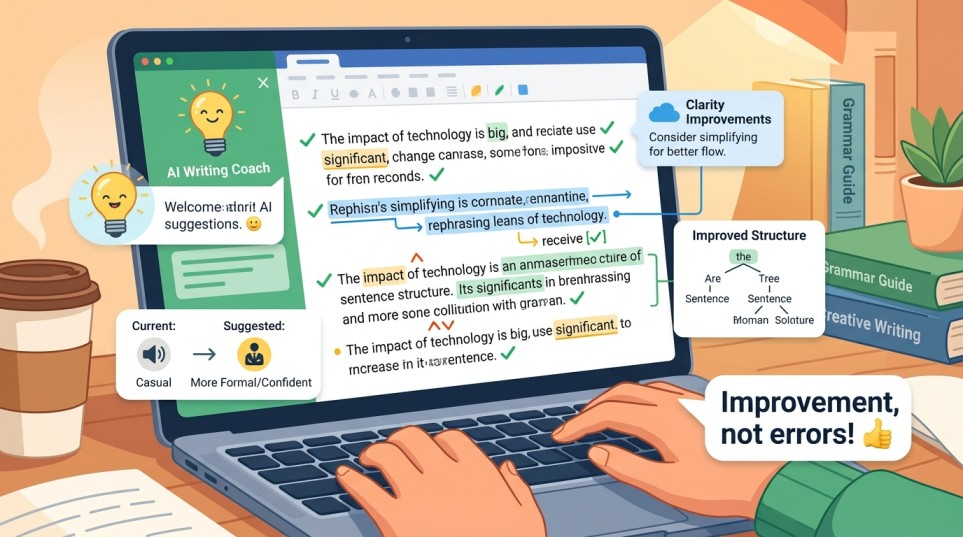
Grammarly is the safest AI writing tool in any academic context. Almost no professor objects to grammar checking. The free version catches spelling, punctuation, and basic grammar errors in real time across your browser, Google Docs, Word, and email. The premium version adds tone detection, clarity improvements, full-sentence rewrites, and plagiarism checking.
I’ve used Grammarly since undergrad and it’s caught embarrassing errors in submissions more times than I want to admit. A misplaced comma in a thesis statement. “Their” instead of “there” in a final draft I’d proofread three times. The kind of mistakes you stop seeing after reading your own work for the fifth hour straight.
Use it for: Final proofreading before submission. Catching errors you’ve become blind to after multiple edits. Improving sentence clarity when your writing feels tangled. Checking tone to make sure your essay sounds academic rather than casual.
Free vs paid: The free version is solid for basic grammar, spelling, and punctuation. Premium at $12/month adds clarity suggestions, tone detection, and plagiarism checking. If you’re a non-native English speaker, the premium version’s fluency suggestions are worth the cost. Otherwise, the free tier handles most student needs.
Best AI Tool for Paraphrasing and Summarizing Research
QuillBot (Free, or $19.95/month for Premium)
QuillBot is the tool I recommend specifically for working with source material. It paraphrases text while preserving meaning, summarizes long passages, and helps you rewrite sentences in your own voice. The free version handles basic paraphrasing with a 125-word limit per use and only two paraphrasing modes (Standard and Fluency). Premium removes the word limit, unlocks all 9 paraphrasing modes, and adds a plagiarism checker.
The monthly price is $19.95, but the annual plan brings it down to about $8.33/month ($99.95/year), which is a much better deal for students who’ll use it throughout the academic year. QuillBot also offers student discounts through various verification services, so check before paying full price.
Use it for: Rewriting a passage from a source in your own words (then edit further to truly make it yours). Summarizing long research papers into key points before you start writing. Improving sentence variety when your draft feels repetitive. Getting unstuck when you can’t figure out how to say something differently.
The ethics note: QuillBot paraphrases, but paraphrasing someone else’s ideas without citation is still plagiarism even if the words are different. Always cite your sources regardless of how much you’ve reworded them. QuillBot changes the words. You still need to credit the ideas.
Best AI Tool for Research and Sourcing
Perplexity (Free, or $20/month for Pro)
Perplexity is the tool I wish existed when I was writing research papers. It works like a search engine that actually answers your question, with citations attached to every claim. Ask it a research question and it pulls information from multiple sources, synthesizes it into a coherent answer, and shows you exactly where each piece of information came from with clickable links.
Use it for: Starting research on a new topic before you dive into academic databases. Finding background information and context quickly. Identifying key debates and perspectives on your topic. Getting a quick overview of a subject before narrowing your focus. Finding sources you can then look up in your library’s database.
Don’t use it as your only source. Perplexity cites web sources, which may include news articles, Wikipedia, and blogs. For academic papers, you still need peer-reviewed sources from databases like JSTOR, Google Scholar, or your university library. Use Perplexity to get oriented, then do proper academic research.
The Deep Research feature on the Pro plan ($20/month) is particularly useful for literature reviews. It spends several minutes conducting a multi-step investigation and produces a sourced report. For a major research paper, the time savings can be significant.
Best Free Tool for Citations and Reference Management
Zotero (Free) or Mendeley (Free)
These aren’t AI writing tools in the traditional sense, but they solve one of the most painful parts of academic writing: managing citations. Zotero saves sources from your browser with one click, organizes them into project folders, and automatically generates bibliographies in whatever citation style your professor requires (APA, MLA, Chicago, and hundreds more).
I switched to Zotero in my second year and immediately regretted not starting sooner. No more manually formatting references at 2am before a deadline. No more accidentally citing the wrong page number. Save the source when you find it, annotate it as you read, and let Zotero handle the formatting when you’re done.
Mendeley offers similar functionality with the added benefit of PDF annotation tools and a social network of researchers. Both are completely free. Pick whichever interface you prefer.
Best AI Tool for Academic Writing Specifically
Jenni AI (Free tier, or $12/month Unlimited) or Paperpal (Free tier available)
If you write a lot of research papers and want AI tools designed specifically for academic contexts, Jenni AI and Paperpal are worth knowing about.
Jenni AI helps with academic writing by generating content, suggesting citations from real academic papers, and maintaining an academic tone. It’s specifically built for essays and research papers rather than marketing copy. The citation suggestions are its standout feature: it recommends relevant academic sources as you write, which saves time during the research integration phase. The free tier is limited to 200 words per day and 10 documents, so it’s really a trial. The Unlimited plan at $12/month removes all daily limits. Jenni also offers student discounts (up to 60% off the annual plan through Student Beans).
Paperpal is trained on millions of published scholarly articles and focuses on academic language specifically. It’s particularly useful for non-native English speakers writing in academic English, catching the subtle phrasing issues that Grammarly might miss (like using “conduct” vs “perform” in a research context). The free tier covers basic writing assistance, with Paperpal Prime starting at $25/month for advanced features.
Use these if: You write academic papers frequently, need citation assistance, and want tools that understand academic conventions. If you only write occasionally, ChatGPT or Claude plus Grammarly covers most of the same ground for free.
The AI Detection Question
Let’s address this honestly because it’s the thing most students worry about. Universities use tools like Turnitin to flag potentially AI-generated content. Here’s what you should know.
AI detection tools are imperfect. They work by analyzing writing patterns and assigning probability scores. They do not provide definitive proof. False positives happen, especially with non-native English speakers whose polished writing can trigger AI flags, and with students who naturally write in a more formal, structured style. Turnitin itself describes its AI writing indicator as a probability assessment, not a definitive determination.
The best protection against AI detection isn’t using an “AI humanizer” tool (which is essentially admitting you’re trying to disguise AI-generated work). The best protection is actually writing your own work and using AI tools as assistants rather than authors. When you brainstorm with AI, restructure the ideas in your own way. When you get AI feedback on your draft, implement the suggestions in your own words. When AI helps you outline, reorganize the structure to match your own thinking.
If your writing process genuinely involves your own thinking, analysis, and expression, AI detection tools will almost never flag it. The content they catch is typically work that was generated wholesale by an AI with minimal human editing. Write your own papers. Use AI to make them better. That’s the approach that keeps you safe and actually teaches you something.
The Smart Student Workflow (Free)
Here’s how I’d use these AI writing tools together for a typical essay, spending exactly $0.
Step 1: Research with Perplexity (free). Get oriented on the topic. Find key arguments, debates, and sources. Use the citations to locate academic papers in your university library database.
Step 2: Brainstorm and outline with ChatGPT (free). Discuss your angle. Generate a rough outline. Push back on the outline to test your thesis. Reorganize it based on your own thinking about what matters most.
Step 3: Write the draft yourself. This is the part that matters. Your ideas, your argument, your words. If you get stuck on a paragraph, ask ChatGPT or Claude to help you work through the logic, then write it in your own voice.
Step 4: Edit with Grammarly (free). Catch grammar errors, improve clarity, tighten sentences. Run through it twice.
Step 5: Get AI feedback with Claude (free). Paste your finished draft and ask: “What are the weakest parts of this argument? Where could I improve clarity? Does my conclusion follow from my evidence?” Use the feedback to make final revisions.
Step 6: Manage citations with Zotero (free). Generate your bibliography automatically in the required format. Double-check that all cited sources appear in your reference list.
Total cost: $0. Total time saved: several hours. And because you wrote the actual essay yourself with AI as a thinking partner rather than a ghostwriter, the work is yours, the learning is real, and you won’t have to worry about academic integrity issues.
💡 All tools above have free plans! Start with ChatGPT + Grammarly for the best free student combo.
Quick Reference: Best AI Writing Tools for Students by Task
Stuck and can’t start: ChatGPT or Claude (free). Ask for brainstorming help or outline suggestions.
Need to understand a reading: Claude (free). Paste the text and ask for an explanation. Its large context window handles long academic papers.
Researching a topic: Perplexity (free). Get sourced answers, then verify in academic databases.
Paraphrasing source material: QuillBot (free with 125-word limit). Rewrite in your own voice, but always cite the original ideas.
Checking grammar and clarity: Grammarly (free). Works across your browser, Docs, and Word.
Getting feedback on your draft: Claude or ChatGPT (free). Paste your essay and ask specific questions about weak points.
Managing citations: Zotero or Mendeley (free). Never manually format a bibliography again.
Frequent academic writing: Jenni AI ($12/month Unlimited) or Paperpal (free tier). Built for research papers with citation suggestions.
AI Writing Tools Students Should Be Cautious About
A quick note on tools I’d approach carefully as a student.
AI essay generators that promise to write full papers: These exist, and they produce exactly the kind of generic, AI-detectable content that will get you flagged. They also teach you nothing. Avoid them.
AI humanizers and bypass tools: These tools rewrite AI-generated text to avoid detection. Using them is essentially acknowledging you’re submitting AI-written work and trying to hide it. If your professor considers that academic dishonesty (most do), no humanizer tool protects you from the consequences. Testing shows most humanizer tools only achieve 40-60% bypass rates against modern detectors like Turnitin anyway.
Any tool that promises “undetectable” AI writing: No tool can guarantee this, and the promise itself should be a red flag. If your approach to an assignment requires the output to be “undetectable,” you’ve already crossed the line from using AI as an assistant to using it as a substitute.
Frequently Asked Questions
Is using AI for schoolwork cheating?
It depends on how you use it and what your professor allows. Using AI to brainstorm, check grammar, or get feedback on your own writing is generally accepted. Having AI write your assignment and submitting it as your work is generally considered dishonesty. Always check your course syllabus and ask your professor if you’re unsure.
What’s the best free AI writing tool for students?
ChatGPT’s free tier is the most versatile, though it now has message limits and shows ads in the US. Pair it with Grammarly (free) for editing and Zotero (free) for citations and you have a complete free toolkit. Claude’s free tier produces the highest quality writing but has tighter usage limits.
Can Turnitin detect AI writing?
Turnitin has AI detection features, but they provide probability scores, not certainties. False positives occur, especially with polished writing from non-native English speakers. The best way to avoid AI detection flags is to actually write your own work and use AI tools as assistants, not authors.
Is ChatGPT or Claude better for students?
ChatGPT is more versatile and better for brainstorming, quick answers, and varied tasks. Claude writes more naturally and handles long documents better (useful for analyzing readings with its 200,000-token context window). Both are free at the basic level. I’d keep both available and use whichever fits the task.
Should I pay for any AI writing tools as a student?
Probably not, at least at first. The free tiers of ChatGPT, Claude, Grammarly, Perplexity, QuillBot, and Zotero cover almost everything students need. If you find yourself hitting limits regularly, the ChatGPT Go plan ($8/month) or Grammarly Premium ($12/month) are the most affordable upgrades. Jenni AI’s Unlimited plan at $12/month is worth it if you write research papers frequently and need citation assistance.
How do I cite AI tools in my papers?
APA, MLA, and Chicago all have published guidelines for citing AI tools. The general format includes the tool name, version, the date of use, and the prompt you gave it. Check your style guide’s latest edition or ask your professor. Being transparent about AI use is always better than trying to hide it.
How much does ChatGPT cost for students?
ChatGPT has three options for individual users: Free (GPT-5.3, with ads in the US and ~10 messages/5 hours limit), Go at $8/month (more messages but still includes ads), and Plus at $20/month (full features, no ads, GPT-5.4 access). ChatGPT also offers a free plan specifically for verified US K-12 educators through June 2027.
What is the best AI tool for writing essays?
For brainstorming and outlining essays, ChatGPT (free) is the most versatile option. For the highest quality writing assistance, Claude (free) produces more natural-sounding prose. For academic-specific writing with citation suggestions, Jenni AI ($12/month) is purpose-built for essays and research papers. For grammar and editing, Grammarly (free) is universally accepted by professors. The best approach is combining several free tools rather than relying on one paid tool.